
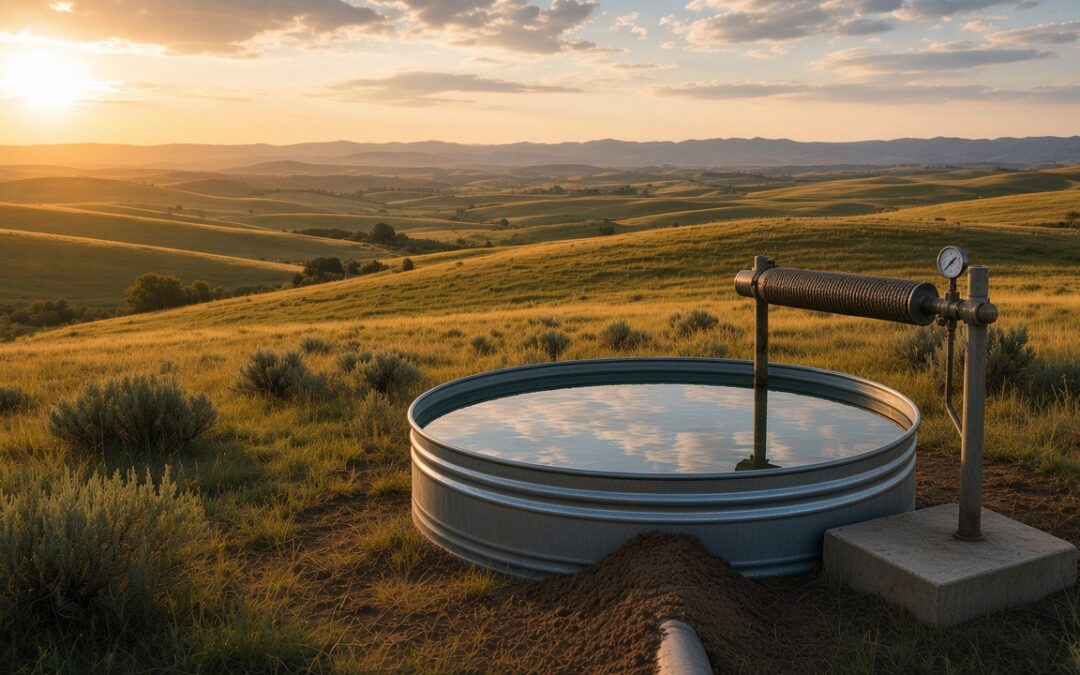
The north well ran all morning. By lunch the pumping level was still fine. By late afternoon it had dropped toward the screen, the pump was working harder than usual, and nobody knew until the next morning’s drive. Across the road, the lease-ground tank looked full at 7 a.m. and sat empty by 4 p.m. after the float stuck shut. Same day, two different failures, both between checks.
That is the gap a once-a-day route or a trough photo leaves open. Remote well alerts and stock tank level alerts answer a narrower question: did a reading cross the threshold you set, or did a station stop reporting? This post covers which custom alerts catch real problems at remote wells and stock tanks, how to route them, and how that differs from driving out once a day or relying on a camera alone.
For why tanks dry up between visits, see why stock tanks dry up unnoticed. For cameras versus level sensors, see water trough camera vs. stock tank level sensor. For the multi-site view, see remote farm water monitoring.
Quick Takeaways
- Custom alerts are thresholds you set, not a fixed list of factory alarms. Set custom alerts, including alerts at the tank levels you choose.
- Well-side alerts that matter most: a low well water level alert, set with a margin above the pump intake or screen, plus an alert if a station stops reporting. Pressure, flow or runtime alerts help when those sensors are on the site.
- Tank-side alerts that matter most: a low-level threshold with enough reserve left to get there, plus a silent-station alert.
- Route alerts to the right people. The person who would drive to that site should hear first.
- Alerts are not a camera and not a replacement for a person. They decide which site needs a trip today.
What “custom alerts” means in practice
A custom alert is a rule you write: if this reading crosses that line, tell these people. Email and SMS alerts when readings cross the thresholds you set are the usual delivery paths. The threshold belongs to you. A tank that feeds fifty cows may need a higher reserve than a backup trough. A deep irrigation well may need a different low-level line than a shallow stock well.
Custom alerts let you match the warning to the reserve you actually have and the person who can act on it.
Well-side alerts that matter
Remote wells fail quietly. Power drops. A float or control changes. The aquifer or the screen slows the well down. Alabama Cooperative Extension’s guidance on irrigation wells in drought is plain: measure water level with the pump running and with the pump stopped, keep records, and avoid pumping the water level down below the top of the filter (screen). Dropping into the screened interval lets oxygen into the formation, invites biological fouling, and can cut well performance over time.
NDSU Extension’s care-and-maintenance guide for irrigation wells makes the same operating rule: never allow the pumping level to drop below the top of the screen, because exposure to air accelerates mineral deposits and incrustation. When a pump starts sucking air, the pumping water level has dropped to the intake. A level reading can show that before the next scheduled visit.
| Alert | What it catches | Why it matters |
|---|---|---|
| Low well water level (margin above intake or screen) | Drawdown deeper than usual, aquifer stress, clogged screen | Protects the screen and the pump before air or fouling start |
| Station stops reporting | Coverage loss, damaged station, power or backhaul problem | Silence is a reading; you cannot trust a quiet dashboard |
| Pressure, flow or runtime outside your range (where supported) | Pump off, line break, closed valve, stuck float downstream | Confirms whether water is moving, not only whether the well has water |
If you are still mapping a single remote well, start with the well surveillance workflow for remote fields. For how to read a well that is working harder than it should, see drawdown vs. pump level. Pump start, stop and schedule belong only where supported, and only after a review of the controller, panel, power and safety at the site.
Tank-side alerts that matter
On the livestock side, the math is familiar. North Dakota State University Extension estimates a 900-pound lactating beef cow at 17.9 gallons per day at 80°F, and a 1,600-pound mature bull at 20.6 gallons per day at 90°F. NDSU notes that temperature and humidity drive intake most, and that limiting water intake reduces feed consumption and animal performance. A 10% loss of body water is fatal to most domestic livestock.
Fifty cows at 17.9 gallons is close to 900 gallons a day before calves. South Dakota State University Extension adds that checking remote water can take hours of labor, that producers may spend over $1,500 a year on fuel just checking water sources, and that lack of water can mean escapes, poor performance or death with losses that climb fast. Nebraska Extension’s BeefWatch makes the same labor point when sources are few and far between.
The tank alerts that match that risk are simple:
- Low-level threshold with reserve. Set the alert high enough that you still have hours of water left for the animals on that pasture. Alerts before a tank runs dry work when the threshold is a customer-set low-level alert, not a last-inch panic.
- Early-warning threshold. Set a second, higher tank level alert to catch a tip, a major leak or a float that failed overnight before the tank gets low.
- Station stops reporting. A tank you cannot see is a tank you are guessing about.
Nebraska Extension also notes that a remote pressure sensor on a livestock pipeline can alert you when a well goes down, power is lost, or a float comes off at the tank. That backs up the tank reading when storage at the trough is small.
Alert routing and silent stations
Who gets the message matters as much as the threshold.
- Route alerts to the right people. The irrigator may not need trough alerts. The hand who owns that lease ground should.
- Name sites the way the crew talks. “Hilltop tank” beats station numbers at 5 a.m.
- Treat silence as a reading. The U.S. Geological Survey notes that real-time ground-water data reviewed daily lets equipment problems be spotted quickly. Get an alert if a station stops reporting, so a quiet site does not hide as “everything is fine.”
Multiple users on one account make that routing practical: different people can watch different wells and tanks without forwarding a single inbox.
What alerts are not
Alerts are not a camera. A level or pressure reading will not show ice on the surface, a tipped tank, algae, or a dead animal in the water. SDSU lists “no metrics” as the main weakness of trail cameras and “no picture” as the main drawback of tank monitors. AgriLynk does not sell cameras; a trail camera can still sit beside a tank if you want eyes as well as numbers.
Alerts are also not a replacement for a person. They decide which site needs a trip today instead of sending someone to every well and tank on the map.
A simple way to start
You do not need every well and tank on day one.
- Pick the worst one or two points. The tank farthest from the house, the well that already failed last summer, or the pasture with the least reserve.
- Set thresholds by reserve time, not by a round number that looks tidy on a chart.
- Decide who gets which alert before the first message lands.
- Watch for a quiet week, then expand to the next chain: the well that fills a tank, the tank itself, and a pressure reading on the line between them when it helps.
Isolated wells and tanks can each run on a standalone cellular field station where compatible cellular coverage exists. Nearby sites can share a gateway. Shared gateways need power. Coverage, spacing and power get confirmed when the layout is quoted.
Questions growers and ranchers ask
What custom alerts matter most on a remote well?
A low well water level alert, set with a margin above the pump intake or screen, plus an alert if the station stops reporting. When pressure, flow or runtime sensors are on the site, alerts on those readings help confirm whether water is moving.
What stock tank level alerts should I set?
Set a low-level threshold with enough reserve left to reach the tank before animals are out of water, and get an alert if the station stops reporting. A second, higher threshold can help catch tips and major leaks early.
How are remote well alerts and tank alerts delivered?
Email and SMS alerts when readings cross the thresholds you set. Route alerts to the right people so the person who would drive to that site hears first.
Do custom alerts replace a camera or a daily check?
No. Alerts watch the numbers between visits. A camera can show ice, damage or debris that a level reading cannot. Someone still has to fix what the alert finds.
Can I start with one well or one tank?
Yes. Start with the site that would hurt most if it failed this week, set the thresholds and routing, then add the next well or tank once that first point is quiet in a good way.
How AgriLynk Helps
AgriLynk remote well monitoring and remote stock tank monitoring put supported well, tank and water-point readings on one dashboard. Set custom alerts, including alerts at the tank levels you choose. Email and SMS alerts when readings cross the thresholds you set. Route alerts to the right people. Get an alert if a station stops reporting. Field stations report every 8 minutes, and you use the dashboard in any browser on your phone, tablet or computer.
Isolated sites can run on cellular field stations with compatible coverage. Clustered sites can share a gateway. Add remote pump and well control where supported, after AgriLynk reviews the controller and site. See pricing for how wells, pumps, reservoirs and multi-farm layouts are usually handled as an Enterprise / Farm Network conversation.
AgriLynk does not replace the people who run your water. It tells them where to go first. Tell us about your sites: how many wells and tanks, how far apart they are, and what power and coverage look like. Or call (760) 723-1529.
Sources
- North Dakota State University Extension: Livestock Water Requirements (AS1763)
- North Dakota State University Extension: Care and Maintenance of Irrigation Wells (AE97)
- South Dakota State University Extension: Water Monitoring Systems for Livestock
- University of Nebraska-Lincoln BeefWatch: Using technology to monitor water on the ranch (2024)
- University of Nebraska-Lincoln BeefWatch: Checking Water from Afar (2020)
- Alabama Cooperative Extension: Irrigation Wells During a Drought Period
- U.S. Geological Survey Fact Sheet 090-01: Real-Time Ground-Water Data for the Nation